Rotas
Build the rota. Publish it. Done.
A weekly or monthly grid where managers drag shifts into place, watch the cost as they go, and publish when it is right.
Get a demo
Planning
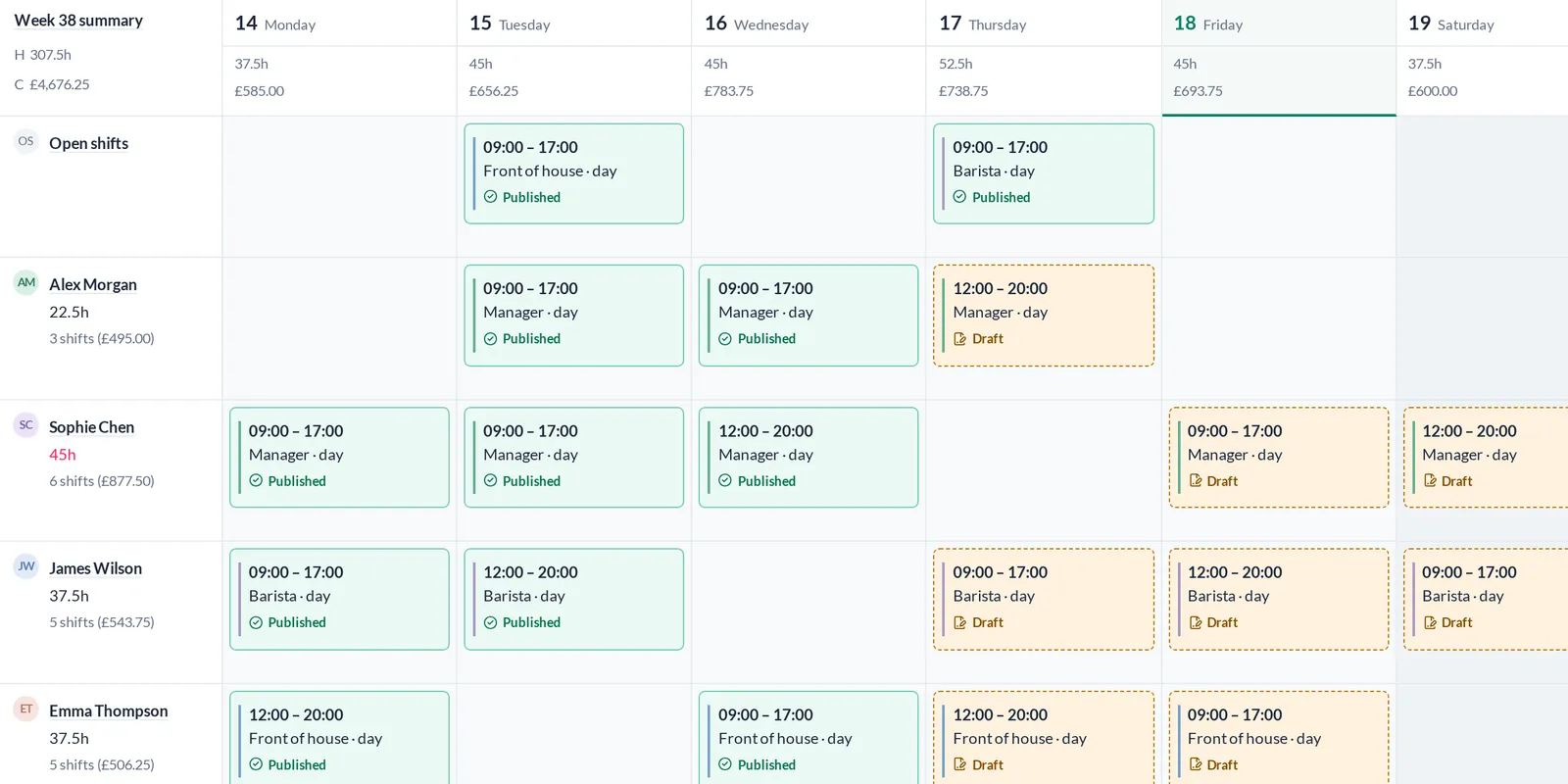
Drag and drop, with the cost in view
Move shifts between people and days. Hours and labour cost are totalled per day, per employee and per week while you work.
- Weekly and monthly grid
- Role stripes on every shift
- Weekly-hours warnings per employee
- Copy a week forward
Publishing
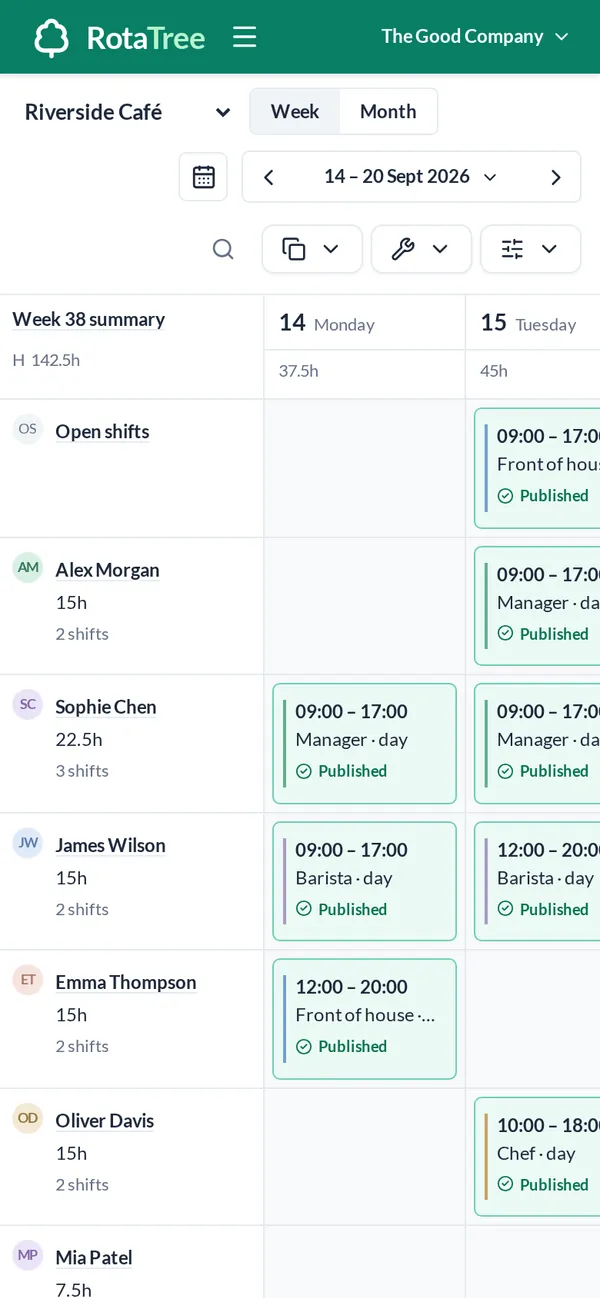
Nothing reaches staff until you publish
Saving or editing a shift leaves it as a draft. Publish the week and staff see it on their phones. They can acknowledge each shift.
- Draft and published counts per week
- Shift acknowledgement
- CSV export
Open shifts
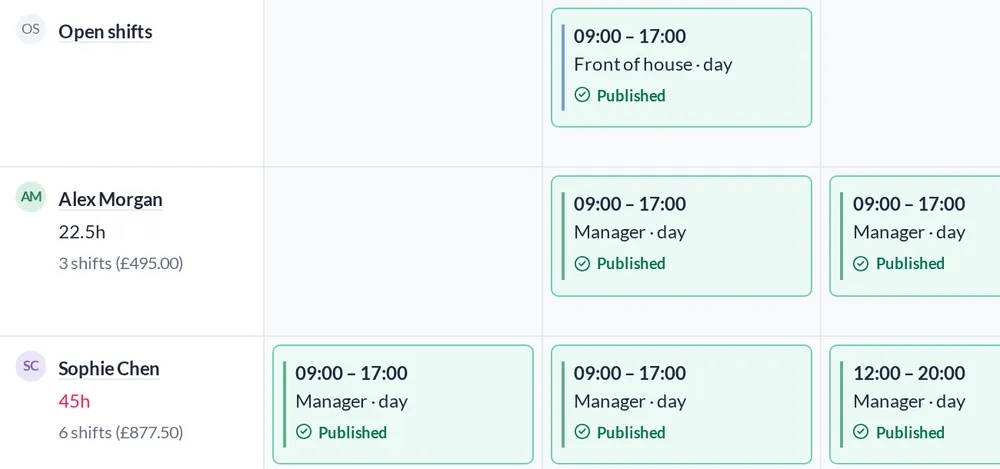
Let staff claim what is open
Post a shift without a name on it and employees can claim it. If someone needs to drop or swap a shift, the request goes to a manager.
- Open shifts employees can claim
- Drop and swap requests with manager approval
Validation
Overlaps and leave clashes are caught
A shift that overlaps another one, or lands on approved leave, fails validation before it is published.
- Overlap validation
- Leave-conflict validation
- Weekly hour limits per person

Multi-location
Every site on one rota
Switch between locations from the rota. Shifts a person has at another location show muted, so nobody is booked twice.
- Managers see only their locations
- Other-location shifts shown muted
- Hours and cost per location in reports

Everything else in the workspace
FAQs
Can staff see the rota on their phones?
Yes. RotaTree is a web app and works in the phone’s browser. There is no separate app to install.
Do staff see shifts while I am still planning?
No. Shifts stay as drafts until you publish them.
Can employees swap shifts?
They can request to drop or swap a shift. A manager approves or declines the request.
Can I copy a rota from one week to the next?
Yes. Copy a week forward and then edit what is different.
Can I export the rota?
Yes, as CSV.
How do we get a demo?
Tell us how big the team is. We will show you RotaTree set up for a team like yours.


- Weekly rota
- Monthly rota
- Open shifts
- Copy week
- Draft to publish
- Labour cost per day
- Leave ledger
- Sickness and TOIL
- Availability patterns
- 20-second QR clock-in
- Monthly attendance sheet
- Payroll lock
- Scheduled vs actual
- CSV export
- API
- Signed webhooks
- Multi-location
- Pay rates
- Weekly-hour limits