Attendance
Clock-in tied to your workplace Wi-Fi.
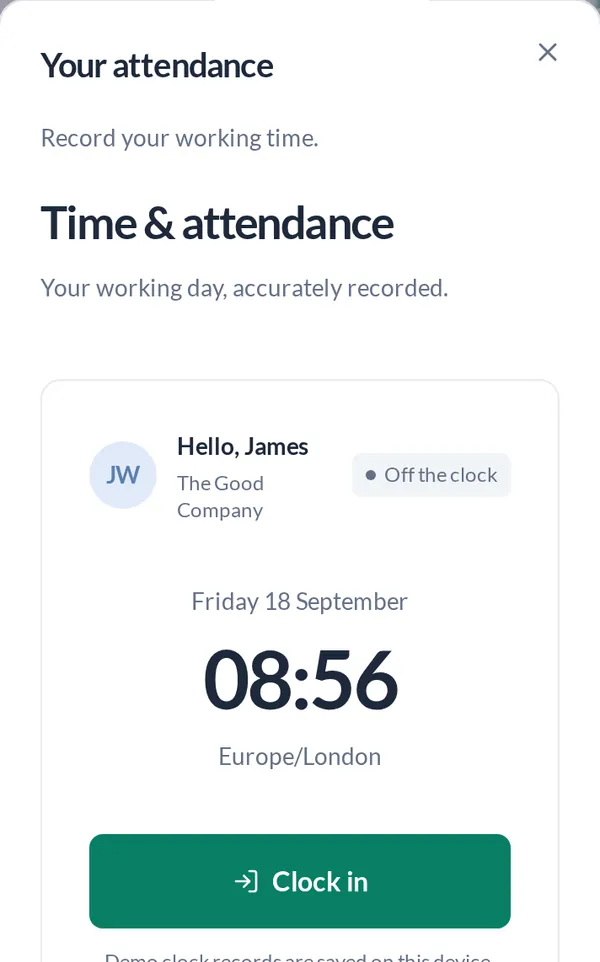
A rotating QR code on a workplace tablet, scanned with the employee’s own phone on the workplace network. The server records the time.
Get a demo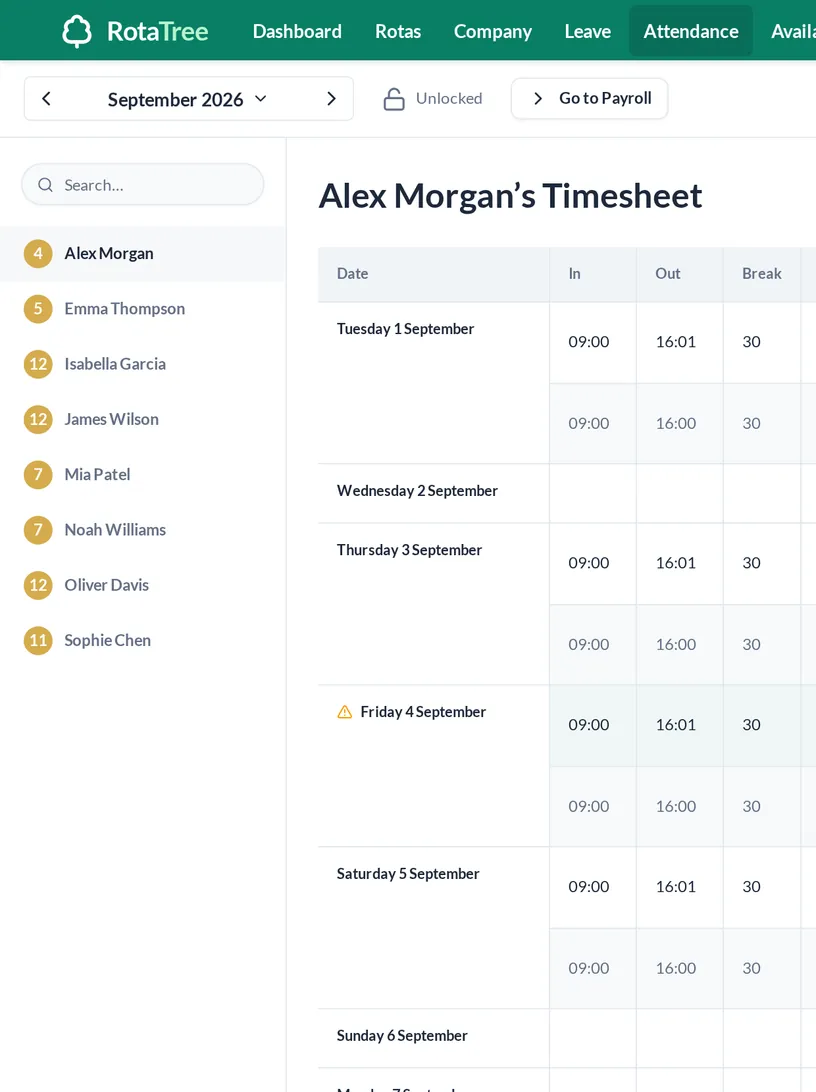
The terminal
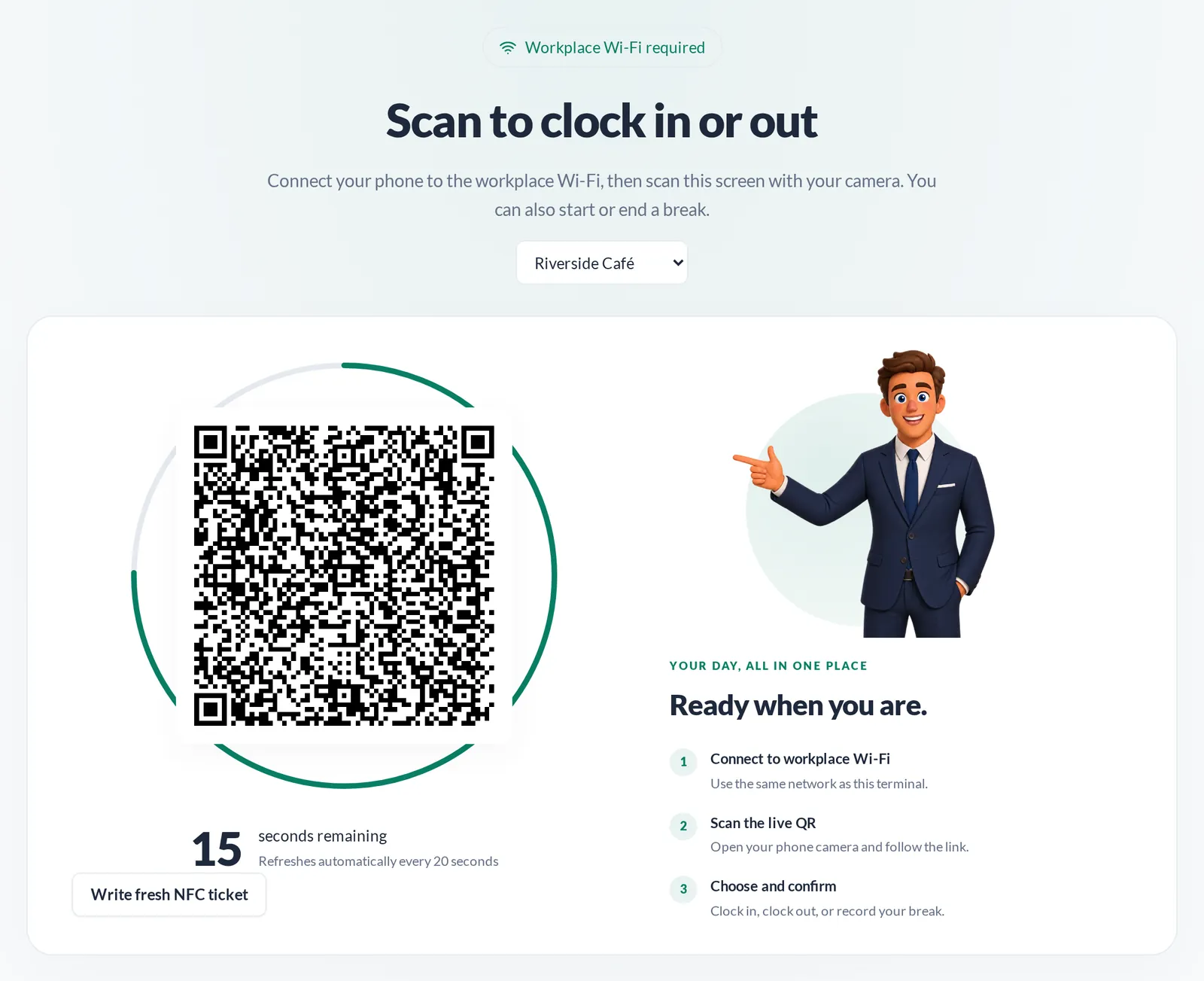
A QR code that changes every 20 seconds
Put a tablet at the workplace and open the secure terminal. Each code is signed on the server and replaced 20 seconds later.
- Signed server-side
- Scanned with the phone camera
- Nothing to install on the phone
Network check
The phone has to be on the workplace network
When a code is scanned, the phone’s public IP address is compared with the workplace’s. A scan from another network is refused.
- Public-IP check on every scan
- Uses your existing Wi-Fi; needs a stable public IP
Records
Server timestamps, late markers, breaks
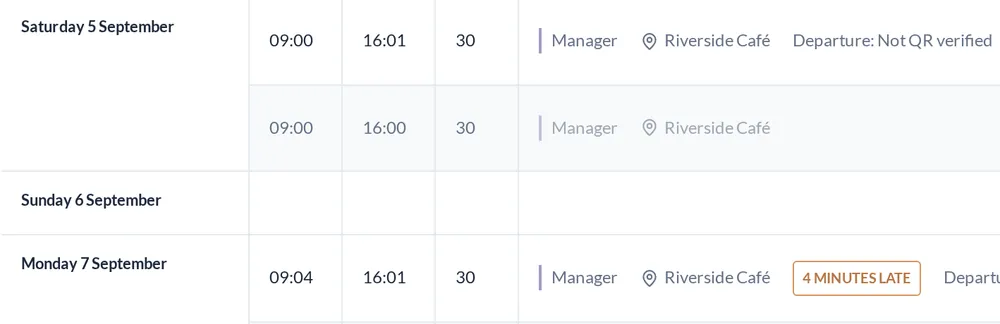
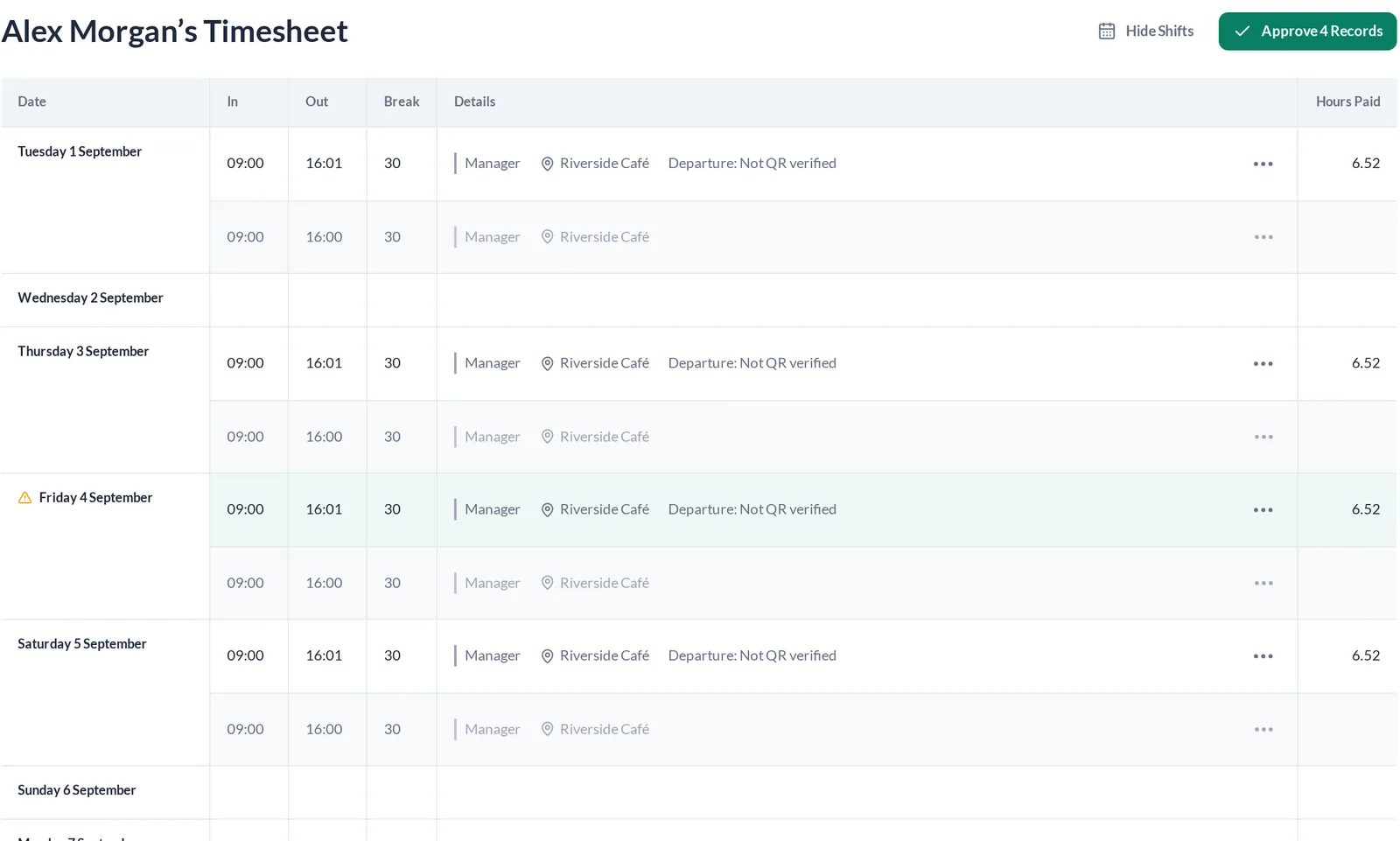
The time comes from the server, not the phone’s clock. Each record sits next to the scheduled shift, and late arrivals are marked.
- Late markers
- Breaks recorded
- Scheduled vs recorded, side by side
Corrections
Manual changes are marked as manual
Managers can correct a missed clock-out. The record is flagged as a manual adjustment, so it never looks like a verified scan.
- Manual corrections flagged
- Verified and unverified records kept apart
Payroll
Approve the month, then lock it
The monthly sheet shows every person’s scheduled and recorded hours. Approve the records, then lock the payroll period. Manual edits are blocked once the period is locked.
- Monthly attendance sheet
- Approval per record or in bulk
- Payroll-period locking
- Print and CSV
PIN terminal
A PIN terminal for sites without the QR check
The older terminal takes a six-digit PIN per employee and locks after five failed attempts. It is for sites that do not enforce the network check. Sites that do enforce it use the QR code.
- Six-digit PIN per employee
- Lockout after 5 failed attempts
5
failed PIN attempts before lockout.
FAQs
Do we need special hardware?
No. The terminal runs in a browser on a tablet. Staff use their own phones.
Can someone clock in from home?
The network check makes it much harder, not impossible. A scan from a home or mobile connection is refused because the phone is not on the workplace network. It reduces remote clock-ins; it does not prove where a person is standing.
Can a colleague clock in for someone else with a photo of the code?
The code changes every 20 seconds, so an old photo does not work.
What if an employee forgets to clock out?
A manager can correct the record. It is flagged as a manual adjustment.
What if someone has no smartphone?
Sites that do not enforce the network check can use the older PIN terminal: a six-digit PIN, locked after five failed attempts. It is not available alongside the enforced QR check.
Can records change after payroll has run?
Manual edits and approvals are blocked once the period is locked. A live clock-out is still recorded and marked for review.
How do we get a demo?
Tell us how big the team is. We will show you RotaTree set up for a team like yours.


- Weekly rota
- Monthly rota
- Open shifts
- Copy week
- Draft to publish
- Labour cost per day
- Leave ledger
- Sickness and TOIL
- Availability patterns
- 20-second QR clock-in
- Monthly attendance sheet
- Payroll lock
- Scheduled vs actual
- CSV export
- API
- Signed webhooks
- Multi-location
- Pay rates
- Weekly-hour limits